












WhatsApp +212 606 968 901

Televixy – IPTV on your own clock, from night shift to early start

Televixy makes prime time whatever hour you happen to be awake

The evening schedule was drawn up for people who finish work at five. If your shift ends at 3 a.m., the baby wakes at four or your team plays on another continent, Televixy gives you 25,000+ live channels that never go off air and 120,000+ films and series that begin the moment you press play. Plans start at $15 for a month, and the 24-hour trial can begin at the hour you really watch.

  • Activation in under 15 minutes
  • 7-day money back
  • Nothing renews by itself
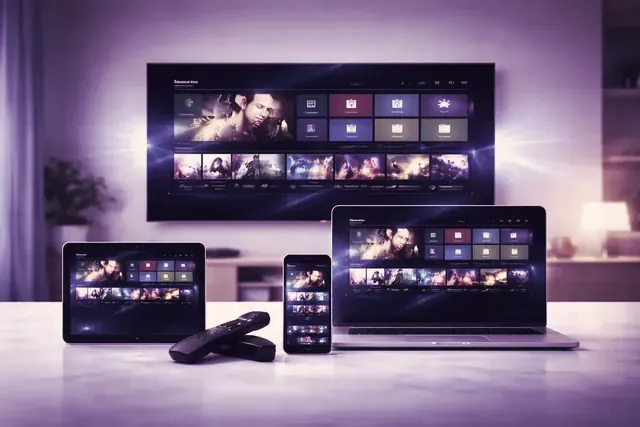
Televixy open on a wall television, a laptop, a tablet and a phone in a dimly lit room
25,000+ live channels, on air all night

Ordering does not wait for office hours. Message at 2 a.m. and be watching before half past. No contract and no stored card.

Request a login

7-day money-back cover on every term

Two people watching television on a sofa on a weekday afternoon A hand holding a remote in front of a television in a dark room
Who it is for

Prime time was drawn around a 9-to-5 week


Broadcasters put their biggest programs between 8 and 11 at night because that is when office workers are home. Plenty of people are not. A nurse on nights. A warehouse picker on the 22:00 to 06:00. A bus driver whose rota turns over every fortnight. A chef who locks up after midnight, a parent walking the hallway at 3 a.m. All of them have time to watch, just not at the hours the schedule was planned around.

Televixy is put together for those hours: live channels from 60+ countries on their own local time, a library with no time of day, and catch-up, on the channels that carry it, for whatever went out while you slept or worked.

Around the clock

A day that does not run 9 to 5

Six hours from six different weeks, and what is worth putting on at each.

01:10

Home after closing

The last table paid at midnight and the kitchen is clean. Start a series at episode one, or join a film still running on a live movie channel.

03:00

Awake with the baby

One arm is busy, so the remote does the work. Subtitles on, volume barely above silent, and a film you never had time for before.

05:30

Before the first run

Delivery drivers, bakers and early crews are up before the day. Ten minutes of overnight headlines and the weather on a live news channel, quiet enough for the house to sleep on.

08:15

Off a twelve-hour night

Everyone else is leaving for school and work as you come in. The drama mentioned at handover went out at 21:00; where its channel carries catch-up, it is waiting in the guide.

14:00

A Wednesday that counts as a weekend

Rotating rotas hand out days off midweek, when the house is empty and the main channels are at their slowest. That is what 120,000+ films and series are for.

23:30

First ball in Melbourne

A cricket Test in Australia gets underway about now in London; an NBA game on the West Coast tips off hours later. Watch live, or sleep and start it from the top in the morning.

None of these needs a separate package. It is one login, used at whichever hour your week hands you.

Live channels from 60+ countries, each on its own local time

When it is the middle of the night where you live, it is breakfast, lunchtime or the evening news somewhere in the line-up. Night viewers make good use of that: a morning program from a country five hours ahead, a talk show going out live in another time zone, a league playing in daylight on the far side of the world.

Browse channels by country

60+Countries, on local time

25,000+Live channels, no closedown

120,000+Films and series, any hour

99.9%Uptime, day and night

03:00 in New York is breakfast in London, mid-morning in Paris, around midday in Dubai and early evening in Sydney.

On demand

120,000+ films and series with no start time

A broadcast schedule wants you in front of the screen at a fixed minute. The library does not. Films, complete series and documentaries are there at 04:00 exactly as at 20:00, and each begins when you pick it.

On irregular hours that changes how a series gets watched: two episodes at 01:30 on a Tuesday, none on Wednesday because you covered a double, four on your day off. If your player offers resume, the next session opens where the last one ended.

Browsing the film library late at night with the room lights off
Guide and catch-up

Finding what aired while you slept or worked

Some programs only exist on a schedule: the news, a live final, the first showing of a drama. Two tools in the player let you reach them at your hour.

The guide (EPG)

Channel by channel, it shows what is on now, what comes next and what has already gone out. Off a late shift, it answers the first question: what did I miss?

Catch-up

On the channels that carry it, past programs play again from the start. How far back you can go differs by channel; channels without it show the listing but will not replay it.

  1. 07:40, back from nights

    You want yesterday’s 21:00 drama. Open the guide on its channel and scroll back to 21:00; a player that supports catch-up marks the slots that replay.

  2. Play it, pause it, finish it later

    Stop halfway and finish it after you have slept, while it is still inside that channel’s catch-up window.

  3. No catch-up on that channel?

    Search the on-demand library. The same film or series may be there, with no window at all.

Quiet viewing

Watching quietly while the house sleeps

At 03:00 the person on the other side of the wall matters more than any picture setting.

Sound in your ears only

Most streaming sticks, Android boxes and smart TVs pair Bluetooth headphones from their settings menu. On a phone or tablet, any headphones will do.

Subtitles instead of volume

Library films and series often carry subtitle tracks, switched on from the player’s subtitle menu. On live channels it depends on the broadcaster.

A sleep timer, if your player offers it

Some players stop playback after a set number of minutes, handy when a film may outlast you. Not every app has one; check its settings.

A dimmer screen

Lower the TV’s backlight or choose a darker picture mode, so the room stays dark for whoever is asleep in it.

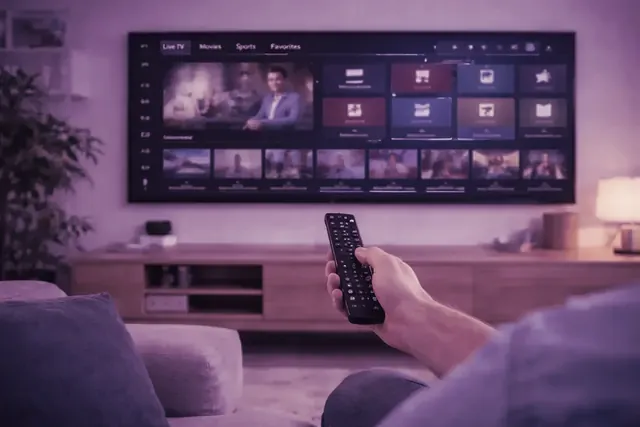
A remote pointed at a television showing the live TV and sports menu in a lamp-lit room
Sport after midnight

Sport that kicks off in the middle of your night

Following a team on another continent means the big moments arrive at strange hours. A Saturday afternoon game in England is breakfast time on the US West Coast, NBA games tip off after midnight across Europe, and Formula 1 from Melbourne or Suzuka starts before dawn in London.

Two ways to handle it, and both work. Watch live on the sports channels in the line-up, headphones on. Or go to bed, and in the morning play it from the first minute through catch-up, where the channel carries it, or a full replay where one is listed.

Watching later without spoilers comes down to one habit: no score app, no group chat and no news alert before you press play.

Leagues and channels
A streaming stick remote beside a phone, tablet and laptop ready to sign in
Activation in under 15 minutesAt 2 a.m. the same as at 2 p.m.
Ordering at night

Getting set up at 2 a.m.

Everything happens in one WhatsApp conversation, answered 24/7. An order sent in the small hours tends to go like this:

  1. Say the term and the number of screens

    One message: how many months, and how many screens will play at once. The reply gives the price and how to pay.

  2. Pay, then copy the details from the chat

    Once payment is confirmed, a username, a password and the server address land in the same chat, plus an M3U link for players that take one.

  3. Sign in on the player

    Type those details into the app on your TV, stick or phone. The setup guides cover each device and app.

  4. Test one channel and one film

    Open a live channel, then something from the library. If both play, you are finished, well inside the quarter hour.

Whichever screen is nearest at that hour

Fire TV, Android TV, Samsung, LG, Apple TV and iPhone, Roku, MAG and Formuler, Windows and Mac

Night viewing often changes rooms: the bedroom TV, a phone propped on a pillow, a tablet beside the nursing chair. One login works on all of them. Buying a stick for the bedroom? The Fire TV Stick 4K Select runs Vega OS and cannot sideload, so Downloader steps apply to Fire OS models only, and Roku has no sideloading at all. Pick a device below for its guide, or open the setup hub.

  • Amazon Fire TV Stick
  • Samsung Smart TV
  • Android TV
  • Apple TV and iPhone
  • MAG and Formuler box
  • Nvidia Shield
  • Android phone and tablet
  • IPTV Smarters Pro
  • Roku
  • Web player and M3U
  • LG Smart TV
  • Windows PC and Mac
Terms

Plans for weeks that never look the same

Pick the length that matches how far ahead you can see your rota. Two people in one home on opposite shifts, who never watch at the same moment, can share a one-screen plan. And a year paid month by month comes to 12 × $15 = $180, against $69 for the 12-month term: $111 more for the same year.

1 month

$ 15 for 1 month

one month, nothing renews

  • 25,000+ channels, live at 4 a.m. as at 9 p.m.
  • 120,000+ films and series to start at any hour
  • EPG, and catch-up on channels that carry it
  • Picture in 4K, FHD and HD
  • Fire TV, Android, Apple, smart TVs, PC and more
  • No contract, and nothing renews by itself
  • Money back if you ask within 7 days
Request this term

3 months

$ 29 for 3 months

$9.67 for each month it covers

  • 25,000+ channels, live at 4 a.m. as at 9 p.m.
  • 120,000+ films and series to start at any hour
  • EPG, and catch-up on channels that carry it
  • Picture in 4K, FHD and HD
  • Fire TV, Android, Apple, smart TVs, PC and more
  • No contract, and nothing renews by itself
  • Money back if you ask within 7 days
Request this term

6 months

Half a year

$ 45 for 6 months

$7.50 for each month it covers

  • 25,000+ channels, live at 4 a.m. as at 9 p.m.
  • 120,000+ films and series to start at any hour
  • EPG, and catch-up on channels that carry it
  • Picture in 4K, FHD and HD
  • Fire TV, Android, Apple, smart TVs, PC and more
  • No contract, and nothing renews by itself
  • Money back if you ask within 7 days
Request this term

The tabs count streams playing at the same moment, not installs: the app can sit on the bedroom TV, a phone and a laptop, and the tab decides how many of them stream together. Length and price are the only differences between the four cards, so the 25,000+ channels and 120,000+ films and series come with each. When a term ends, nothing is charged and the line simply stops until you buy another; you also have 7 days to ask for a refund. All figures in USD.

The pricing page puts all sixteen prices in one table. Not sure yet? The 24-hour trial costs nothing.

Start the 24-hour trial at the hour you usually watch

A trial only tells you something if it covers your hours. Start it as your usual viewing stretch begins, then check what matters then: the channels you would put on at 04:00, a catch-up slot from the night before, your headphones paired.

No card is asked for. The button writes the request out in WhatsApp; you press send, at 05:00 or 23:30, and the trial login comes back in that chat.

Frequently Asked Questions

Questions about watching at odd hours

For night shifts, early starts and rotating rotas. Billing, devices and the rest are on the full FAQ page.

What is there to watch at 4 a.m.?

The same as at 8 p.m. The 25,000+ live channels keep running through the night, and with 60+ countries in the line-up, some are in their morning or evening while you are in your night. The 120,000+ films and series keep no schedule at all.

A program aired while I was at work. Can I still see it?

Often, yes, on the channels that carry catch-up: open the guide on that channel, go back to the time it went out and play it from the start. How far back you can go varies from channel to channel.

My partner works days and I work nights. Do we need two connections?

Only if you ever watch at the same moment. A connection is one screen playing, wherever the login is installed, so if your hours never overlap, one connection covers you both.

Can I order and get help in the middle of the night?

Yes. Orders, activation and help all run through WhatsApp, answered 24/7. Activation takes under 15 minutes, so a message sent at 02:00 is normally playing well before half past.

How do I watch a match later without learning the score?

Play it from catch-up on the channel that showed it, where that channel carries catch-up, or from a full replay if one is listed. The sports page lists the leagues in the line-up.